MT4 vs MT5 is a choice between two separate MetaQuotes platforms, MetaTrader 4 and MetaTrader 5. MT5 works better for most traders, and MT4 suits people whose trading robots run only on it. Your platform choice is also partly your broker’s decision.
MetaQuotes says further conceptual updates will only be released for MT5, so MT4 now gets bug and security fixes instead of new features.
Key Takeaways
- MT5 offers more tools and markets, while MT4 keeps robots built for it working.
- MT4 holds every trade as its own position. On MT5, your broker decides whether an account nets or hedges.
- A robot written for MT4 has to be rebuilt in MQL5 before it will run on MT5.
- MetaQuotes no longer sells new MT4 licences to brokers, though MT4 still gets bug and security fixes.
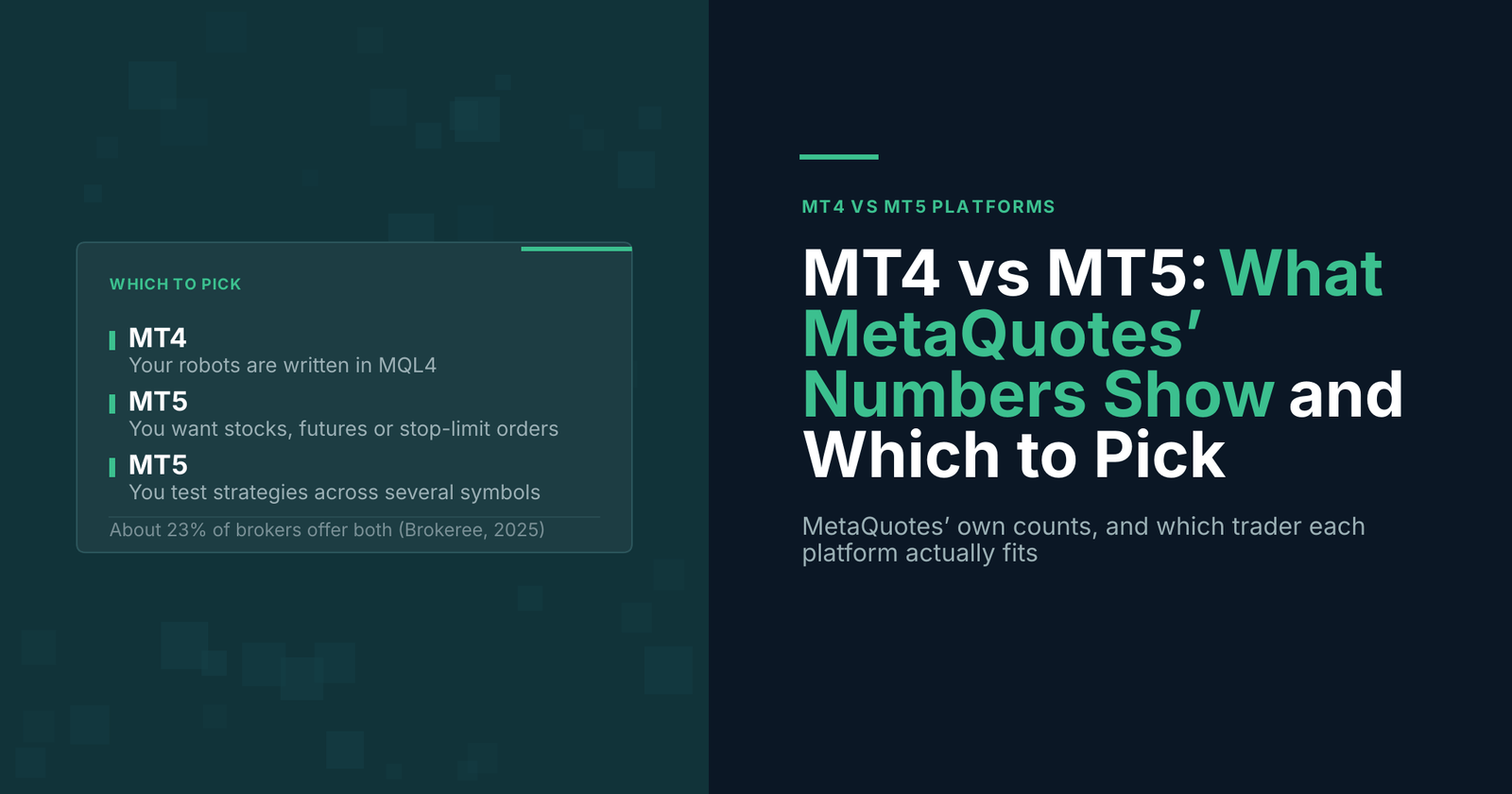
- About 23% of brokers offer both, so you may not have to choose at all.
MT4 vs MT5: At a glance
The difference between MT4 and MT5 starts with how MetaQuotes presents them: MT4 as a Forex platform and MT5 as one for currencies, stocks and futures. MT5 has a higher figure on each count below, though MT4 may still suit traders whose robots are built for it.
| Feature | MT4 | MT5 |
|---|---|---|
| Chart timeframes | 9 | 21 |
| Pending order types | 4 | 6 |
| Ways orders are filled (execution modes) | 3 | 4 |
| Built-in indicators, by MetaQuotes’ own count | 30 | 38 |
| Markets MetaQuotes names it for | Forex | Currencies, stocks and futures |
| How positions are held | Hedging, each trade its own position | Netting or hedging, set by your broker |
| Language for trading robots | MQL4 | MQL5 |
| MetaQuotes development | Bug and security fixes, such as Build 1490 of 2 October 2026 | Conceptual updates only for MT5, per MetaQuotes |
| Share of the brokers, as per Brokeree (2025) | About 40% | About 68% |
The numbers in the table are as per MetaQuotes.
Brokeree Solutions, which sells broker technology, analysed over 900 brokers from public data in 2025, and found about 23% run both platforms.
Charts, orders and markets: MT4 vs MT5
MT5 lists more timeframes, order types, and indicators than MT4, by MetaQuotes’ own counts. Here is what each difference buys you:
Chart timeframes
A timeframe is the period each candle on a chart covers. MT4 offers nine, and MT5 offers 21. The extra ones are mostly in-between periods, such as two, three, six, and twelve hours. They help if you read one market on several scales and want even steps between them. For most traders, the nine on MT4 cover the periods they use.
Pending order types
A pending order waits until the price reaches a level you set. MetaQuotes counts four types on MT4 and six on MT5. The two extra ones are Buy Stop Limit and Sell Stop Limit, and they work in two stages: when the price hits your stop level, the platform places a limit order at a second price you choose. This lets you wait for a breakout and still buy on the pullback.
Market Depth and the markets you can reach
MetaQuotes lists the advanced Market Depth among MT5’s features, which shows the buy and sell orders waiting at each price. Its MT4 front page says MT4 “has everything you need for Forex trading”. CMC Markets says MT5’s stocks, futures, and options depend on your broker and account, and that many brokers offer them as CFDs rather than exchange-traded instruments.
Execution modes and indicators
An execution mode is how your order gets filled. MT4 offers Instant, Request, and Market execution. MT5 adds a fourth, Exchange execution, which routes the order to an exchange rather than to your broker, and it matters only if you trade exchange-listed markets. The indicator gap is the smallest difference of all: 38 against 30, and both platforms let you add more from the built-in Market.
Hedging vs netting on MT4 and MT5
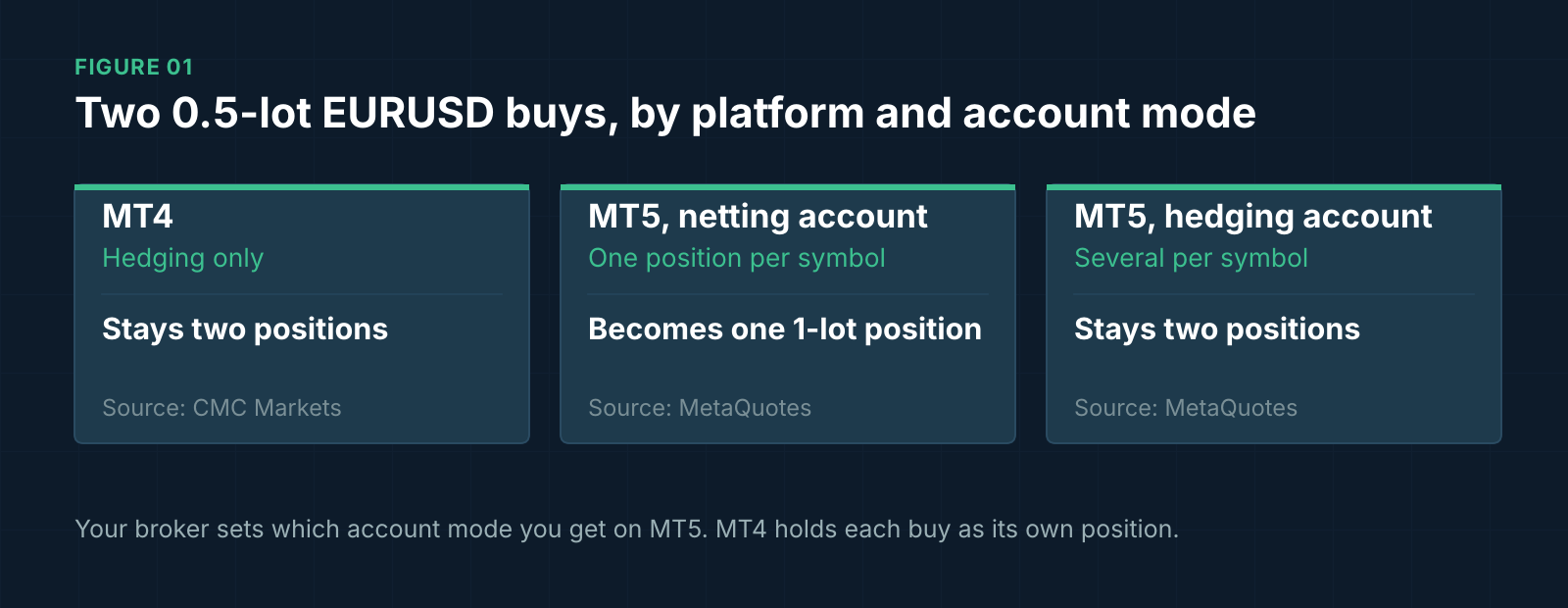
MT4 holds every trade as its own position. CMC Markets, which offers both platforms, says “MT4 inherently supports hedging (holding simultaneous long and short positions in the same instrument)”.
MT5 started the other way. It “originally only supported netting”, CMC says, where trades in one symbol are combined into a single position. It now offers both, and the mode belongs to the account rather than to the trade. Your broker makes a mode available under the rules of its own market.
As Mitchell Dean Ede wrote on the MQL5 blog in August 2026, “it is not a switch you choose separately for each trade”.
MetaQuotes’ MetaTrader 5 help shows the difference with two 0.5-lot EURUSD buys. Netting turns them into one 1-lot position. Hedging keeps them as two.
So ask your broker which mode your account uses before you deposit. It decides whether you can hold two opposite trades on one symbol, which some strategies need, and others don’t.
Where you trade may settle it for you. In the US, the National Futures Association’s rule 2-43(b) says its Forex Dealer Members may not carry offsetting positions in a customer account and must close them first in, first out. US retail traders therefore cannot hedge, whichever platform they open.
Expert Advisors and backtesting: MQL4 vs MQL5
An Expert Advisor (EA) is a program that trades for you. MT4 runs EAs written in MQL4, and MT5 runs EAs written in MQL5.
MetaQuotes’ MQL5 reference calls MQL5 “maximally compatible” with MQL4. An MQL4 robot will not run on MT5 until someone rewrites it in MQL5. If your strategy lives in an MQL4 file and nobody is going to port it, that settles the choice on its own.
Backtesting runs a robot on past price data. MetaQuotes says the MT4 Strategy Tester is built for testing and optimising robots on historical quotes, while MT5’s tester can test several symbols at once.
MT5 is also quicker at the heavy work. It creates one testing agent, a helper program that runs tests, for each processor core in your computer. A single test still uses one agent, so the speed shows up when you optimise a strategy across many settings, and the agents work through them in parallel.
Broker support and costs: MetaTrader 4 vs MetaTrader 5
MetaQuotes Ltd sells platform licences to brokers. MetaTrader 4’s page for brokers states: “The MetaTrader 4 trading platform licenses are no longer available for purchase.” So a broker joining MetaTrader today starts on MT5, which is why the newer platform keeps gaining share.
On both platforms, the broker runs its own servers and sets margin, swaps, spreads, markups, and commissions. Check your broker’s own cost page for the platform you use.
IC Markets Global lists “MetaTrader 4 & 5” under one set of costs on its Raw Spread account page, claiming an average EUR/USD spread of 0.1 pips and a $3.50 commission per lot per side, without separate figures per platform. One broker is not a rule, but it is the pattern we usually see on review: the account type sets the cost, not the platform on top of it. Check your own broker rather than assume. See our IC Markets review for how one broker sets them out.
Which platform fits which trader?
Four common cases, and where each one lands:
You trade forex, and your robots are written in MQL4: Stay on MT4. Nothing else in this comparison outweighs a working strategy you would have to pay someone to rebuild.
You want shares, indices, or futures alongside forex: MT5, since MT4 was not built for them. Check with your broker whether it offers those markets directly or as CFDs.
You test strategies before you trade them: MT5. Its tester handles several symbols at once and spreads an optimisation across your processor cores.
You are starting out, without robots and without plans for any: Either will do the job, and MT5 is the safer long-term bet because it is the one MetaQuotes still develops.
On MT4 or MT5 for beginners, CMC Markets, which sells both, says either will serve, and adds that “MT4’s slightly simpler structure may help” you focus on learning markets. That is a fair point about the first week. It is a weaker one about the first year, because the simpler platform is also the one no longer gaining features.
Both platforms offer a free demo account on first launch, so try each before you commit. Read whether demo accounts are accurate before you judge live trading by one.
The Bottom Line on MT4 vs MT5
MT5 is our default choice. It carries the wider toolset, the markets beyond forex, and the only development MetaQuotes is still doing. MT4 wins on one argument, and it is a strong one where it applies: a working MQL4 robot nobody is going to rebuild.
If you are starting fresh, the broker behind the platform matters more than the platform. Your broker sets the costs, decides which markets you see, and on MT5 decides whether your account nets or hedges. Where a broker does run both, open a demo on each before you commit. Run the checks before a first deposit either way.
Frequently Asked Questions
Why does MT5 feel slow on some computers?
That is the interface under load, not the testing speed covered above. MT5 may feel slow when you run many robots, instruments, and charts at once, because MetaQuotes says the hardware it needs depends on that load. MT4 carries fewer features and so asks less of an older machine. Close the robots and charts you are not using.
Can I use MT4 and MT5 on a phone or in a browser?
On a phone, both. MetaQuotes’ download pages offer free iPhone, iPad and Android apps for MT4 and for MT5. In a browser, they differ: MetaQuotes offers a web platform for MT5 with nothing to install, and its MT4 download page offers no web terminal. Check with your broker which versions it supports before you open an account.
Does an MT4 or MT5 logo mean a broker is safe?
No. MetaQuotes says on its MT5 pages that it is not a broker, bears no responsibility for withdrawals, and cannot reach brokers’ servers. The logo tells you which software the broker runs, nothing more. Check its licence on the regulator’s register before you deposit.